 SkyFi
SkyFi
SkyFi MCP — Service Documentation
The SkyFi MCP server exposes SkyFi's satellite-imagery workflows to AI agents and other Model Context Protocol clients. Connect an MCP-capable agent, sign in with your SkyFi account, and the agent can search existing images (past captures in SkyFi's catalog), build areas of interest, plan and price tasking (new captures), place orders, pull deliverables, and run analytics — all on your behalf.
SkyFi offers imagery two ways: existing images — past captures already held
in SkyFi's searchable catalog (the "archive"), bought with
skyfi_place_archive_order — and tasking, which commissions a brand-new
capture of an AOI in a future window. Existing images are immediate and
lower-cost; tasking is for when nothing suitable already exists.
Heads up: some operations place real, billable orders and charge your SkyFi payment method or credits. See Billing before you let an agent order anything.
Connecting
MCP endpoint
| Transport | Streamable HTTP |
| Endpoint | https://mcp.skyfi.com/mcp |
| Auth | OAuth 2.1 bearer token (see below) |
Point your MCP client at https://mcp.skyfi.com/mcp. The server advertises its
OAuth configuration through the standard discovery documents, so most clients
will walk you through sign-in automatically.
Authentication
The server implements a narrow slice of OAuth 2.1:
- Public clients (no client secret) with PKCE (S256) required.
authorization_codeandrefresh_tokengrants.- Dynamic Client Registration (RFC 7591) at
/oauth/register.
Discovery documents:
/.well-known/oauth-authorization-server— authorization server metadata (RFC 8414)/.well-known/oauth-protected-resource— protected resource metadata (RFC 9728)/.well-known/jwks.json— signing keys
When a client starts the flow you are redirected to a SkyFi sign-in page, where you authenticate with your SkyFi email and password and accept the Terms of Service. The server then mints an authorization code and returns it to your client.
Scopes
| Scope | Grants |
|---|---|
skyfi:read |
Search existing images, geocode and measure AOIs, read orders and deliverables |
skyfi:write |
Manage saved AOIs and other account-scoped resources |
skyfi:order |
Place orders and run paid analytics |
Setting up a client? The setup tutorial walks through connecting from Claude Desktop, Claude Code, and Claude Team/Enterprise organizations, with screenshots and video walkthroughs.
Capabilities
Tools are grouped by what they do. Names are the tool ids your agent calls.
Account
-
skyfi_whoami— the signed-in user, organization, and remaining budget. Call it first as an authentication sanity check.Who am I on SkyFi?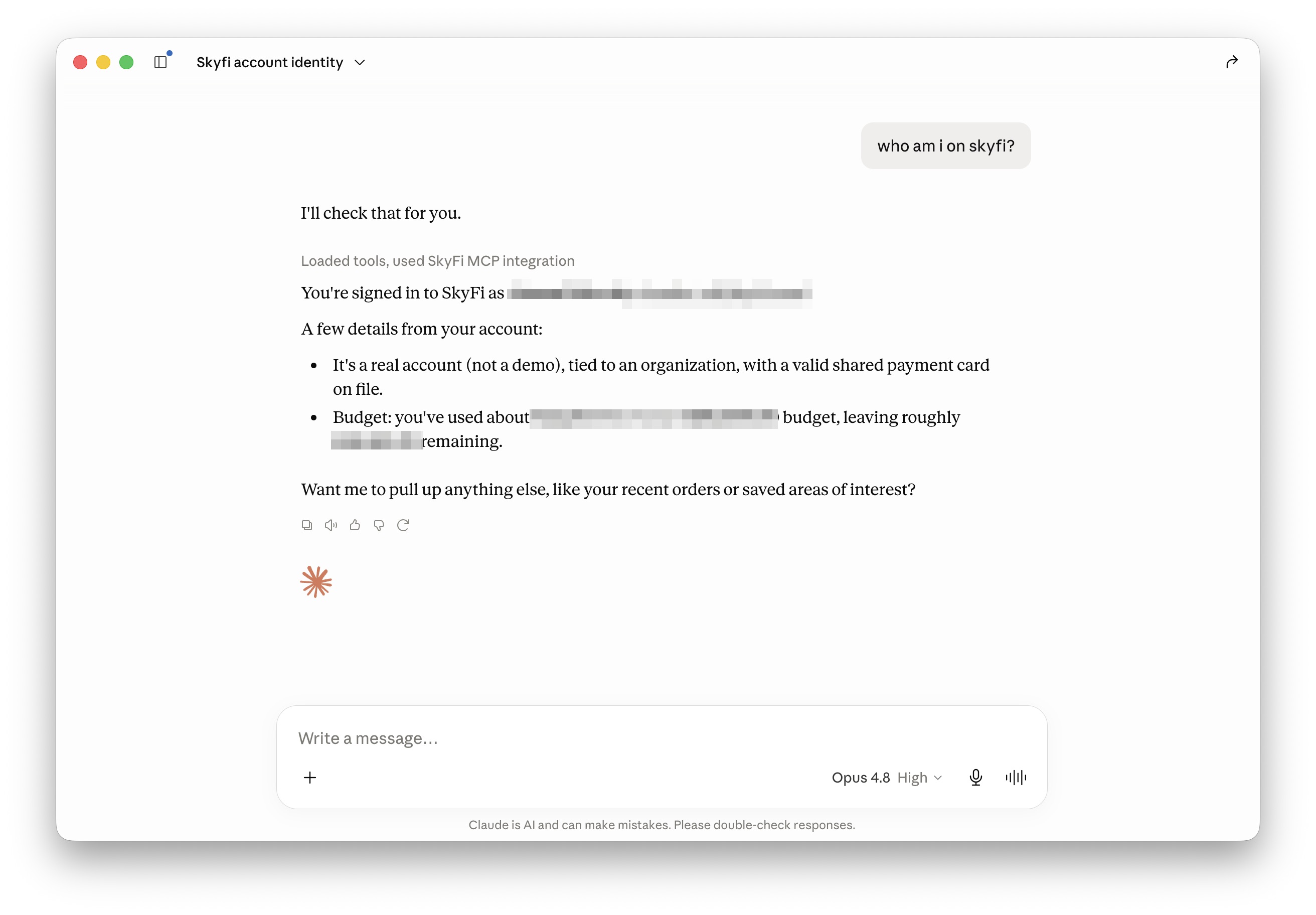
Existing image search
Existing images are past captures SkyFi already holds in its catalog (the
archive). Search them, pick one, then buy it with skyfi_place_archive_order.
You buy only the overlap between your AOI and the image's footprint — that
intersection is what gets cropped, delivered, and billed. Anything in your AOI
outside the footprint isn't covered; use skyfi_aoi_coverage_gaps to find those
gaps and task them.
-
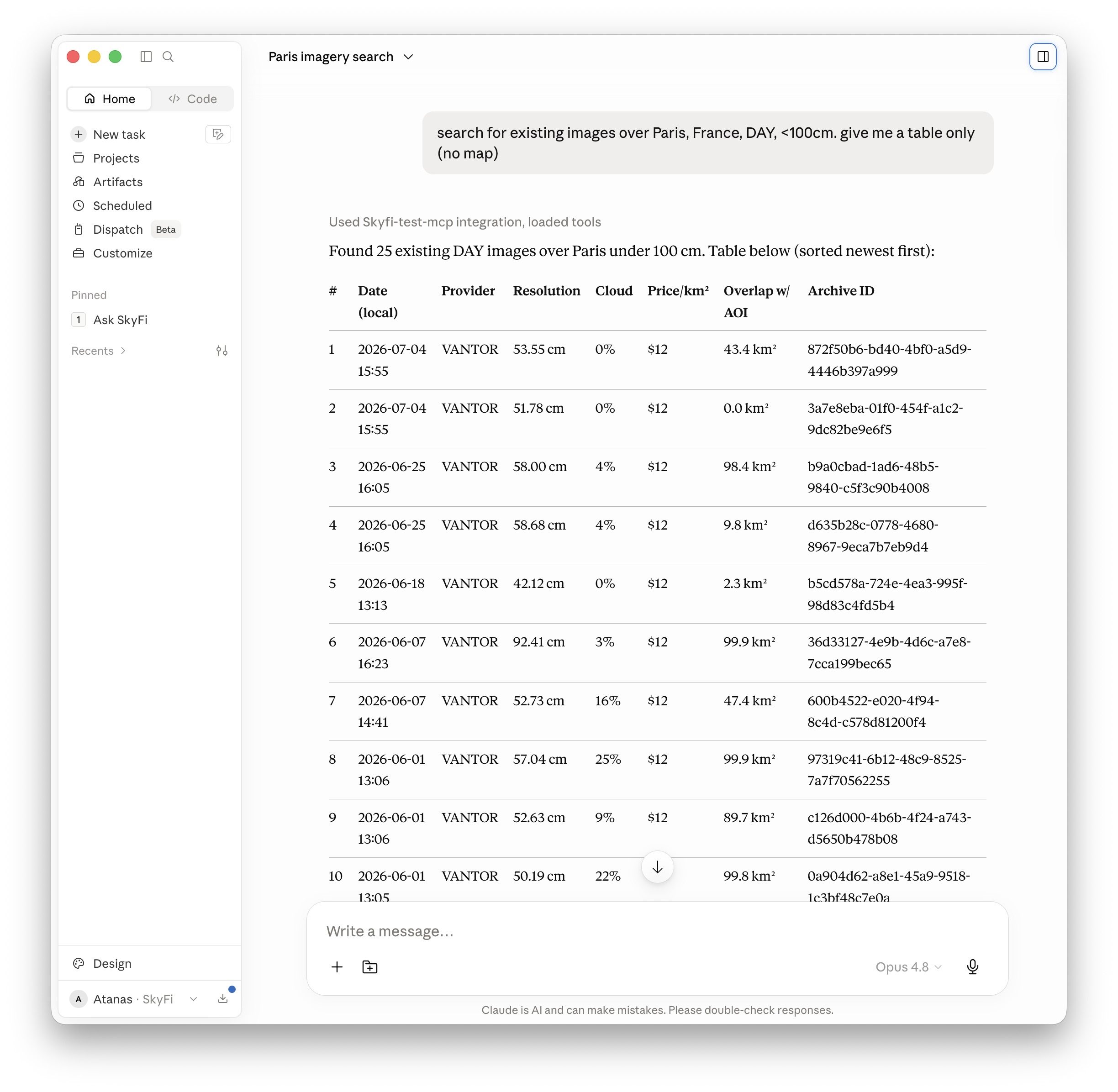
skyfi_search_archive,skyfi_search_archive_with_map— search existing images; the_with_mapvariant returns an interactive map.search for existing images over Paris, France, DAY, <100cm. give me a table only (no map)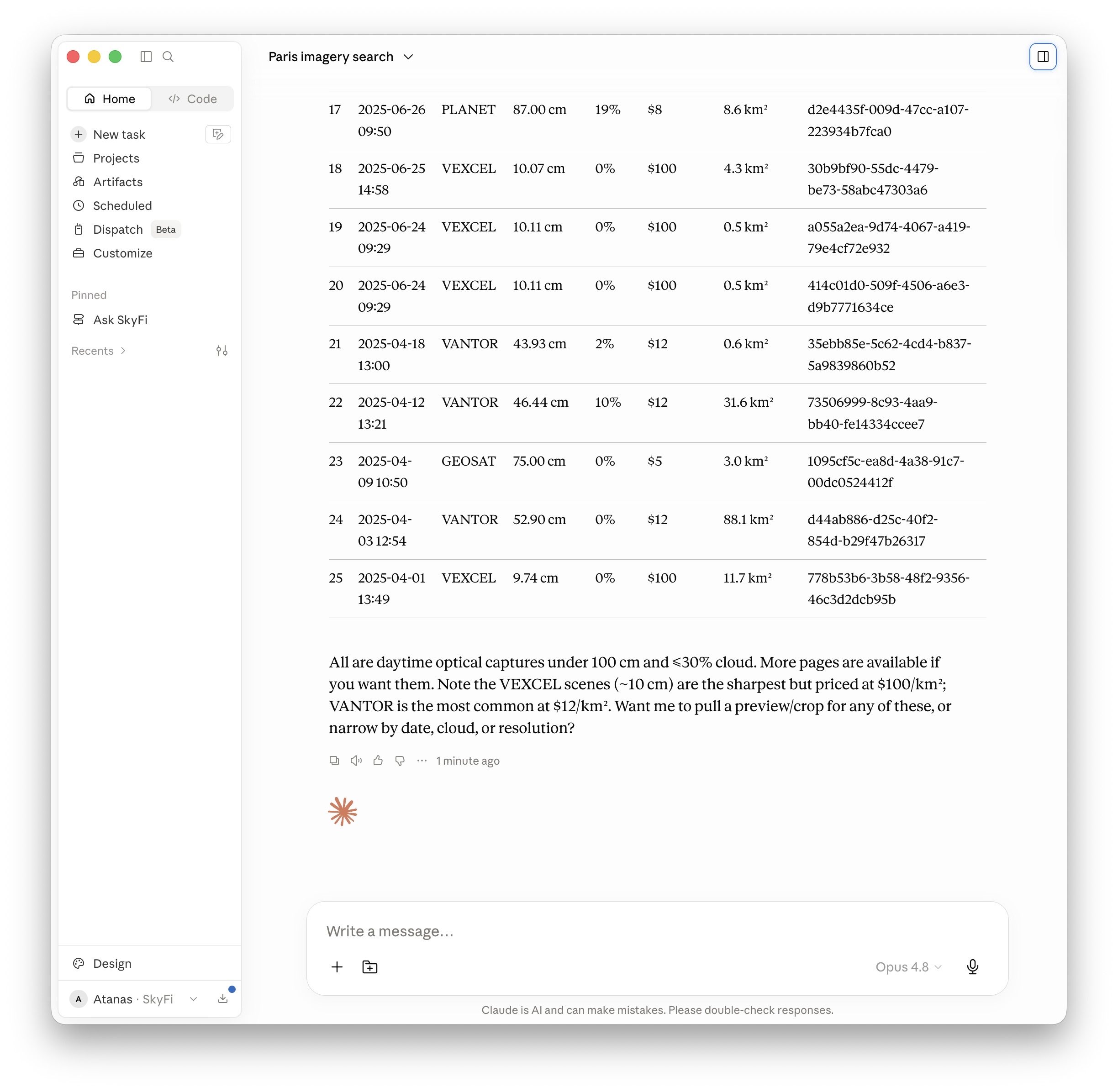
actually, show me that search on the map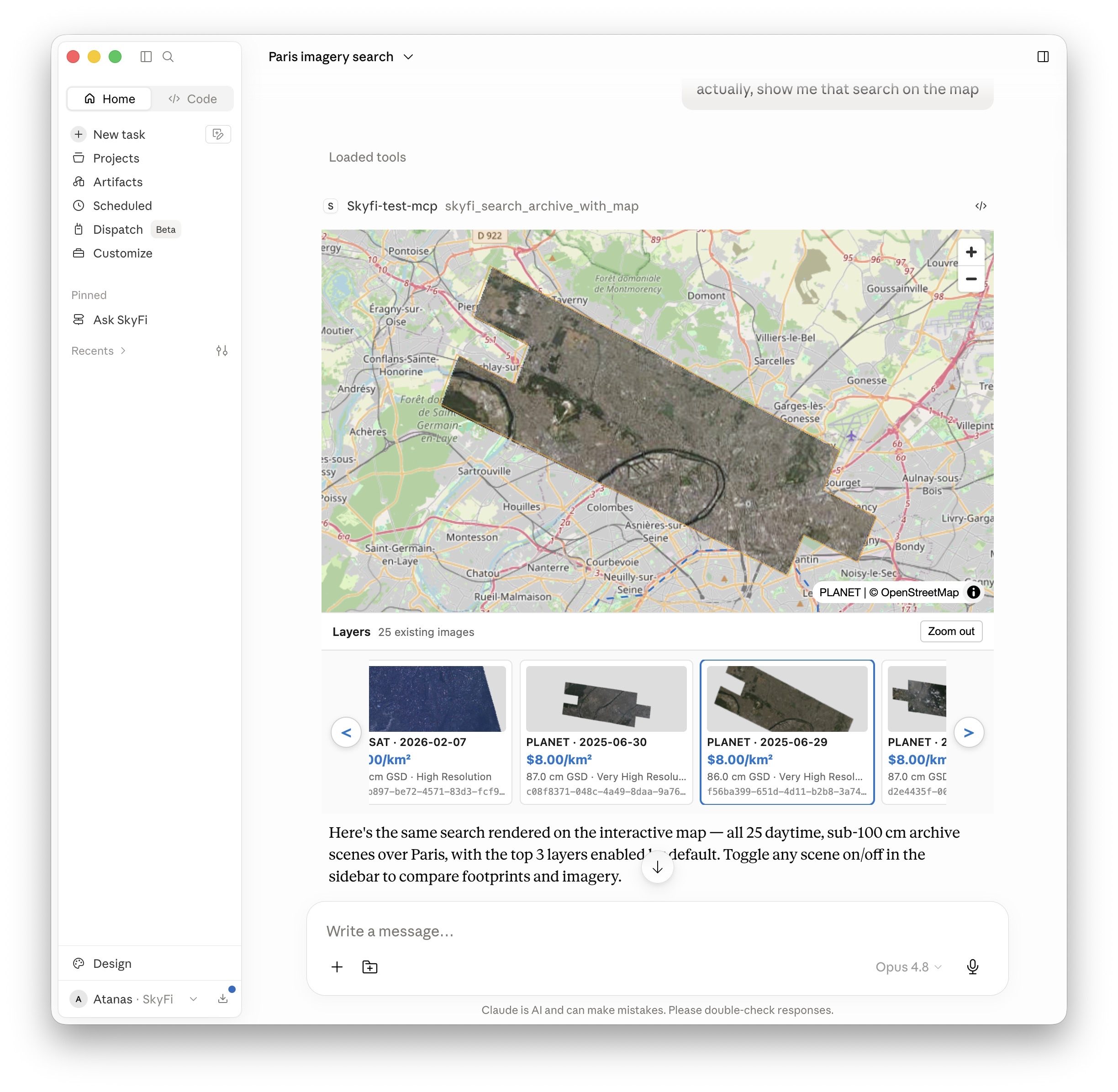
-
skyfi_archive_details_with_map— inspect a single scene on a map with an editable AOI.show me the details map of the first PLANET existing image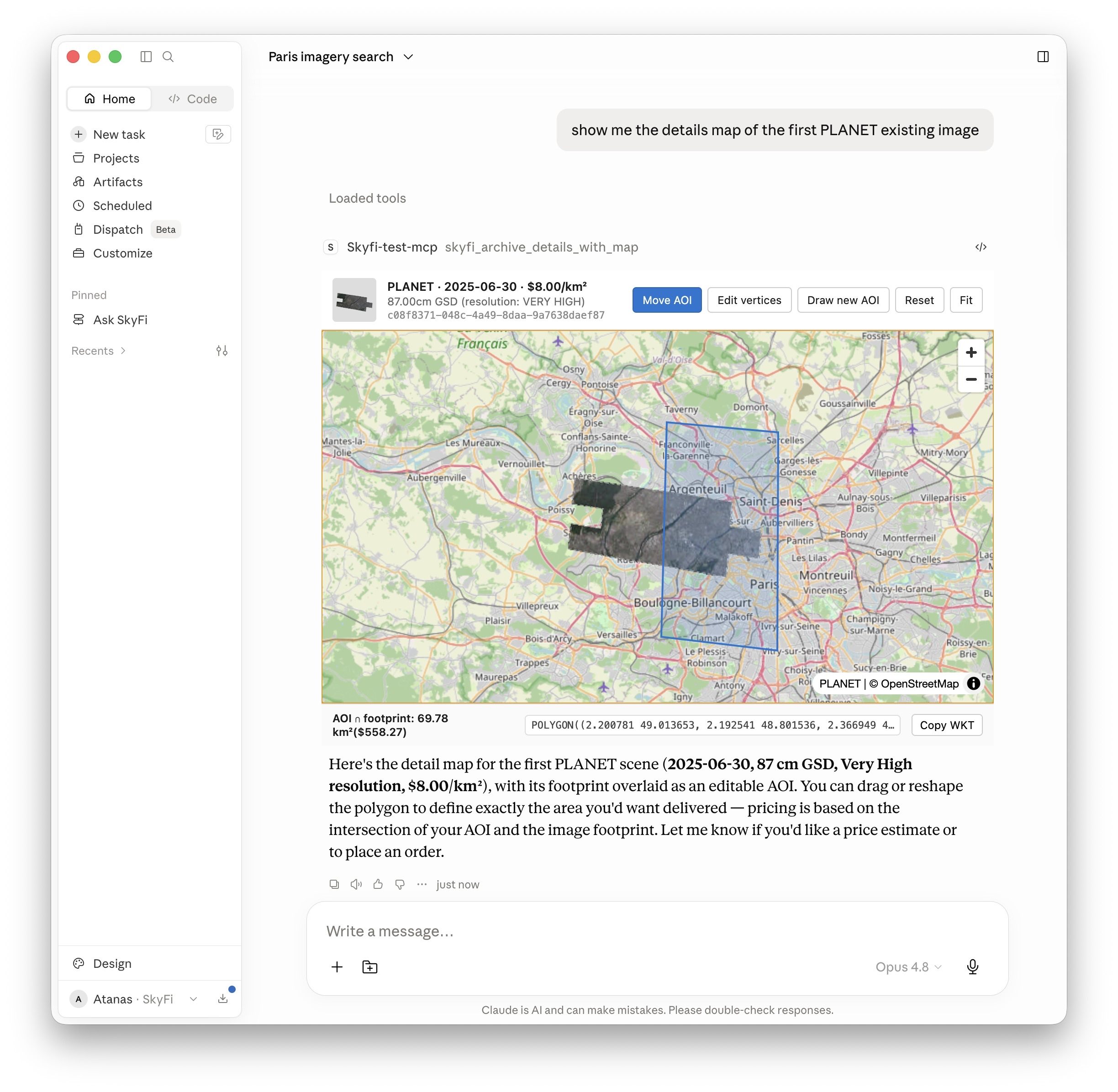
Areas of interest (AOIs)
skyfi_geocode_aoi— turn a place name into a WKT polygon.skyfi_aoi_from_bbox,skyfi_aoi_from_center— build an AOI from a bounding box or a center point + area.skyfi_aoi_area_km2— measure an AOI's area.skyfi_aoi_coverage_gaps— find the parts of an AOI a footprint misses.
Tasking (new captures)
-
skyfi_check_feasibility,skyfi_feasibility_status— check tasking feasibility and list upcoming Planet/Umbra passes that can be ordered. -
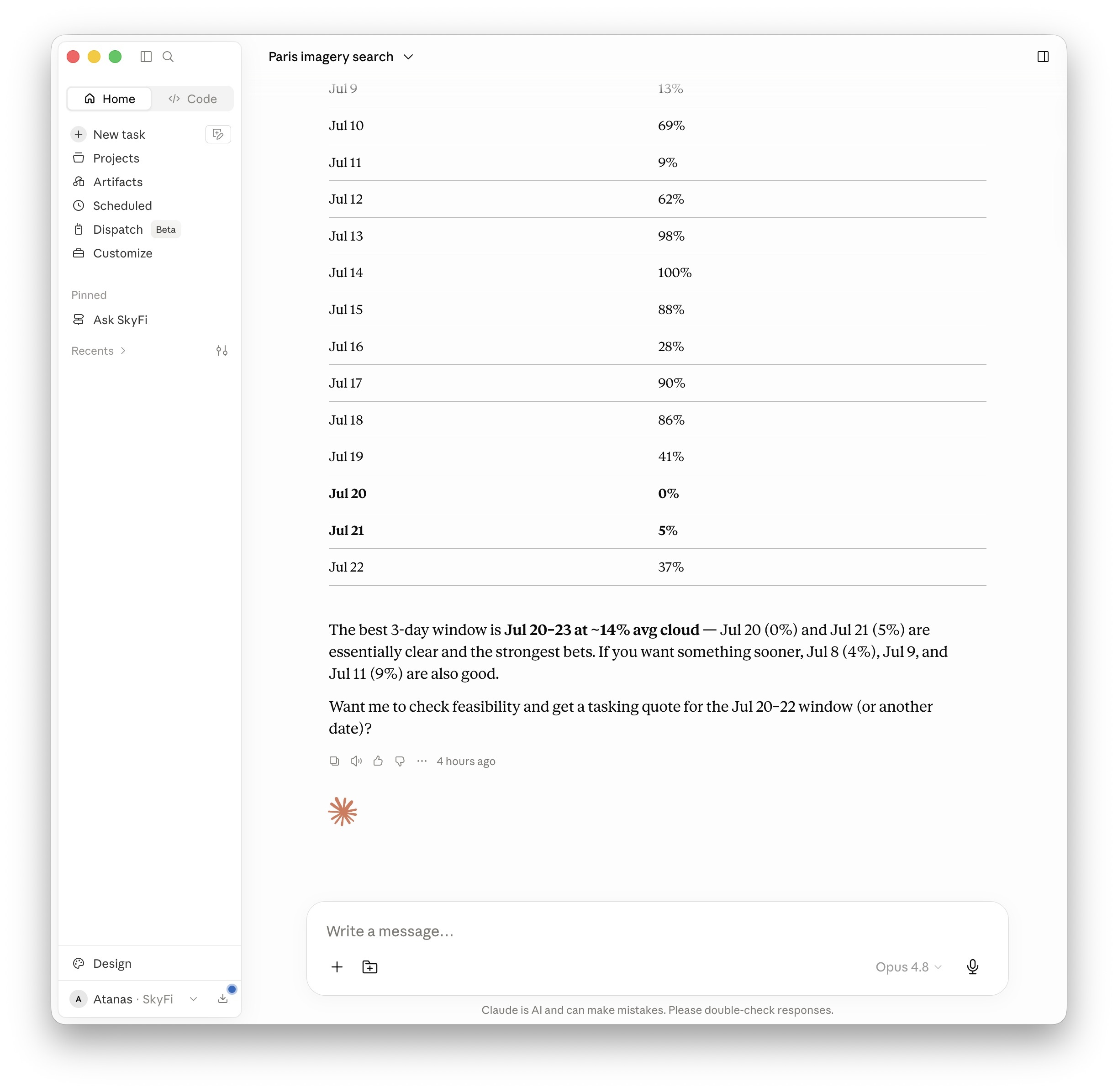
skyfi_tasking_cloud_forecast— forecast cloud cover for a window.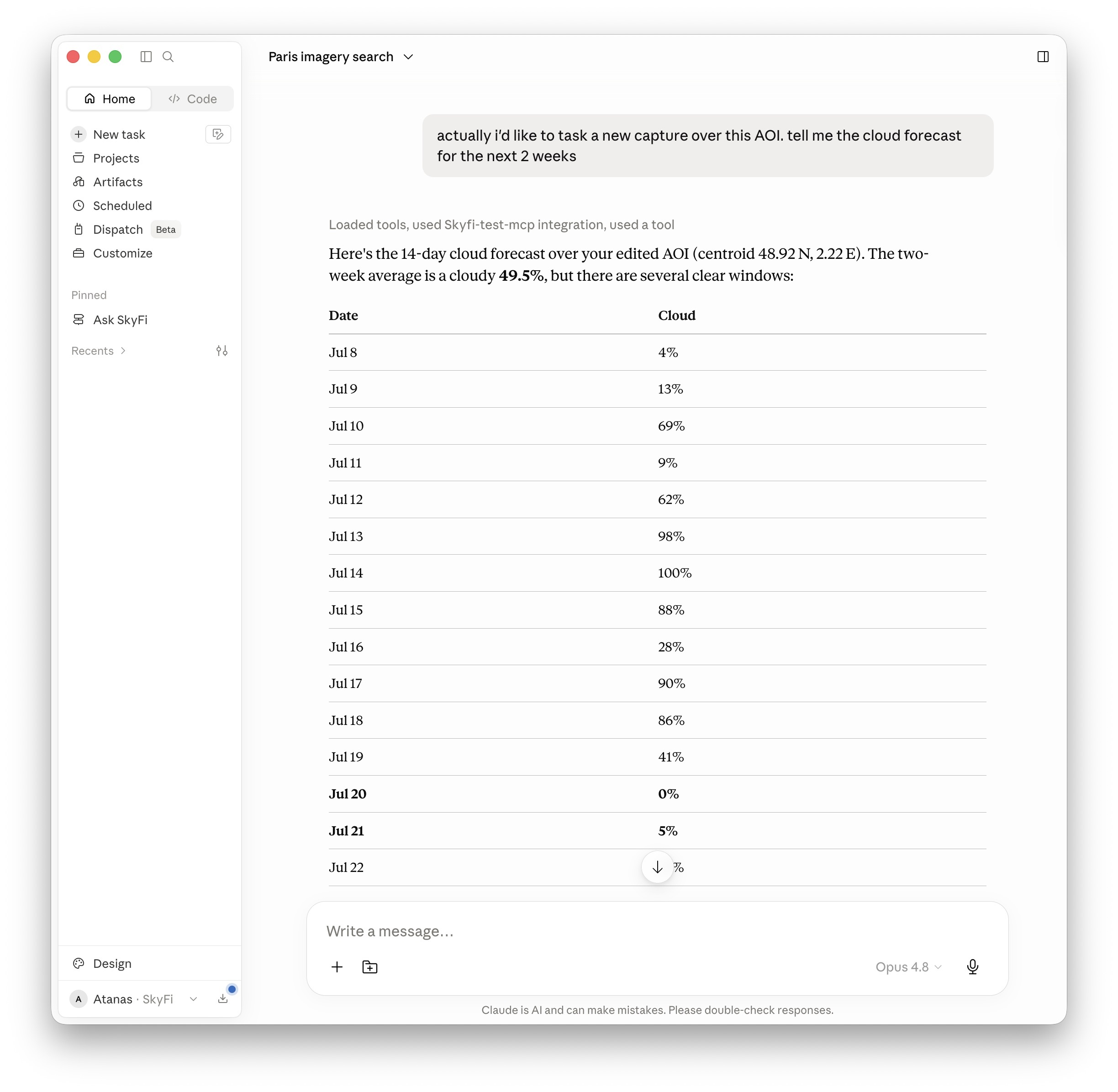
-
skyfi_get_pricing— the AOI-aware tasking pricing matrix: per-provider / product / resolution rates. Use it to compare options before building an order; validation (below) gives the exact price of a concrete order. -
skyfi_list_providers— list available providers.
Validate & price (no charge)
-
skyfi_validate_archive_order,skyfi_validate_tasking_order— a no-charge dry-run that returns the exact price (estimatedCostCents), provider, and AOI area, or the reason the order would be rejected. Call these before placing an order.ok, tell me the price for a 25sqkm tasking over Berlin, Germany, DAY, HIGH. propose best tasking window in the next 2 weeks period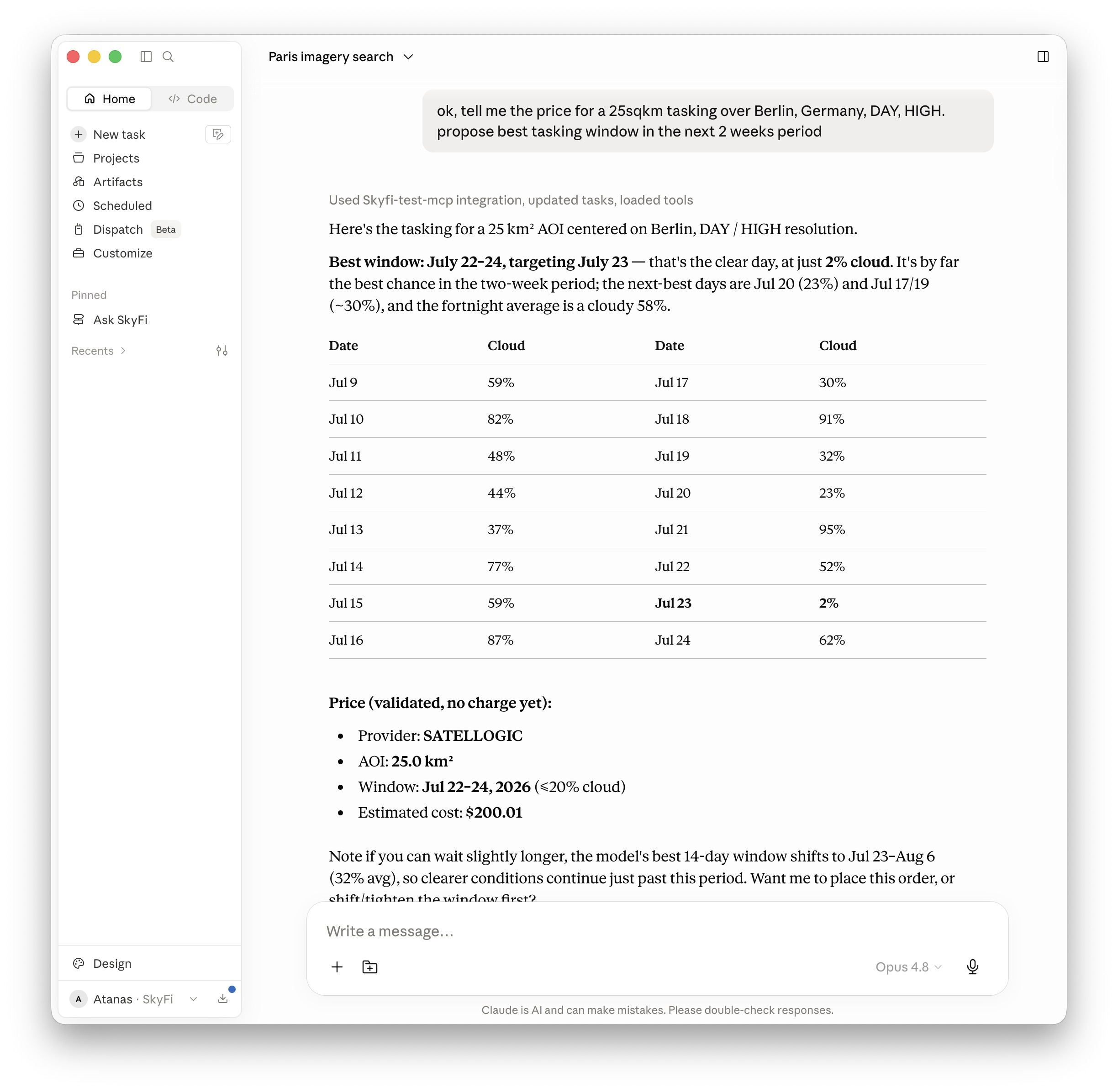
Place orders (billable)
-
skyfi_place_tasking_order— place a tasking order.order this tasking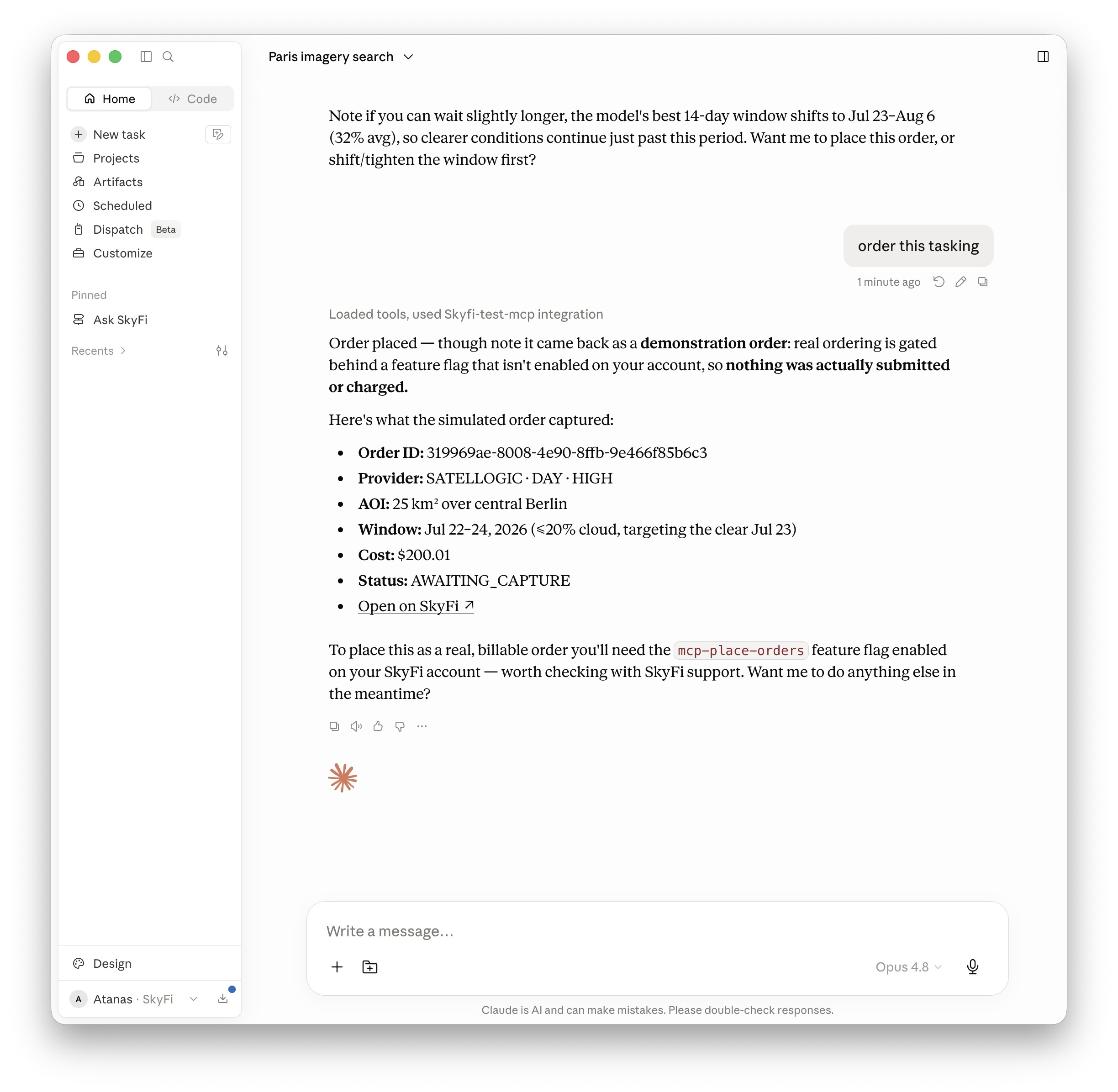
The screenshot shows a demo order, but will place a real one for you
-
skyfi_place_archive_order— place an existing-image order.over the same AOI, order the latest DAY existing image with coverage > 10%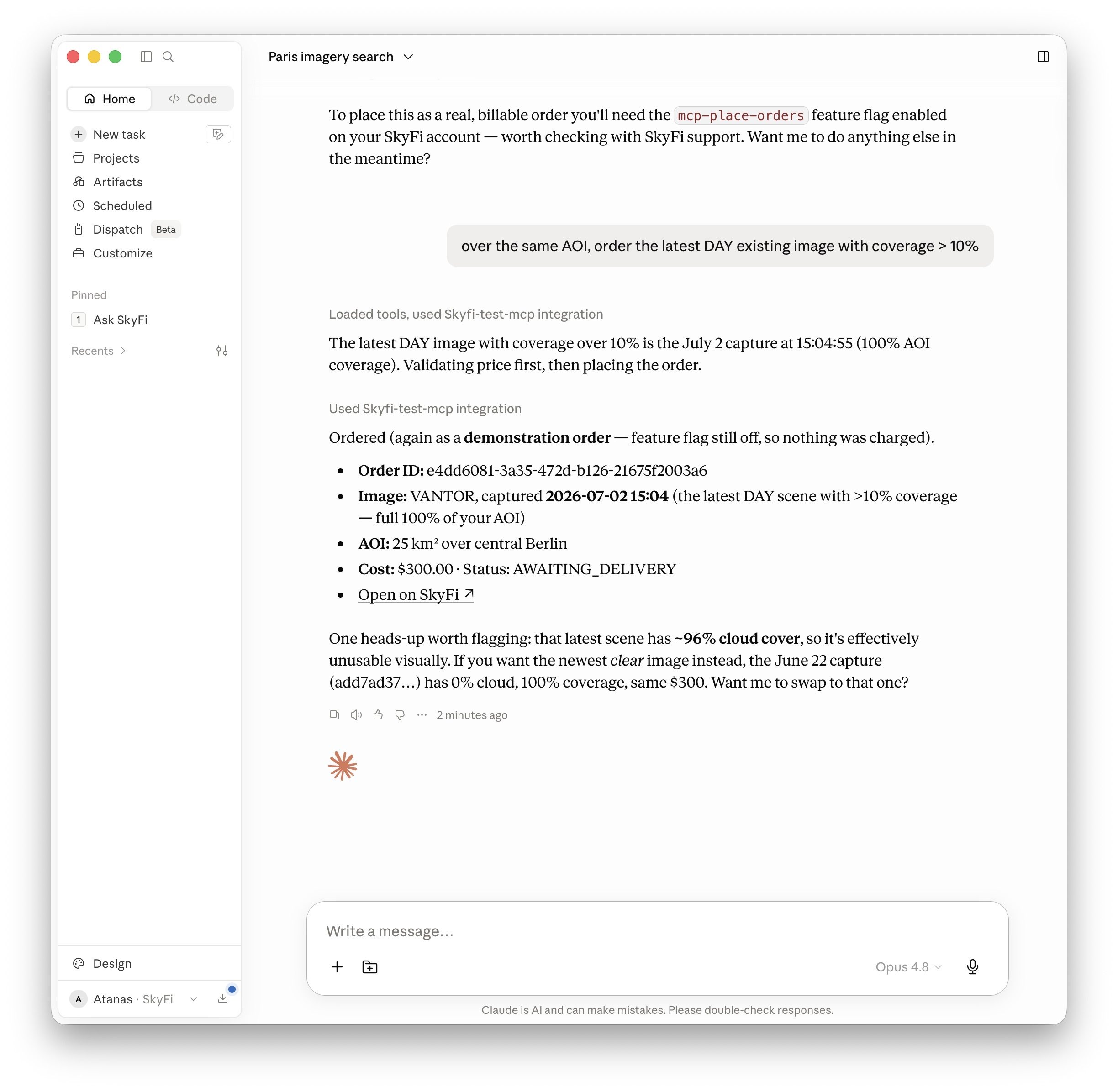
The screenshot shows a demo order, but will place a real one for you
-
skyfi_tasking_order_form— a guided, interactive tasking-order form.actually, show me the tasking form with the same settings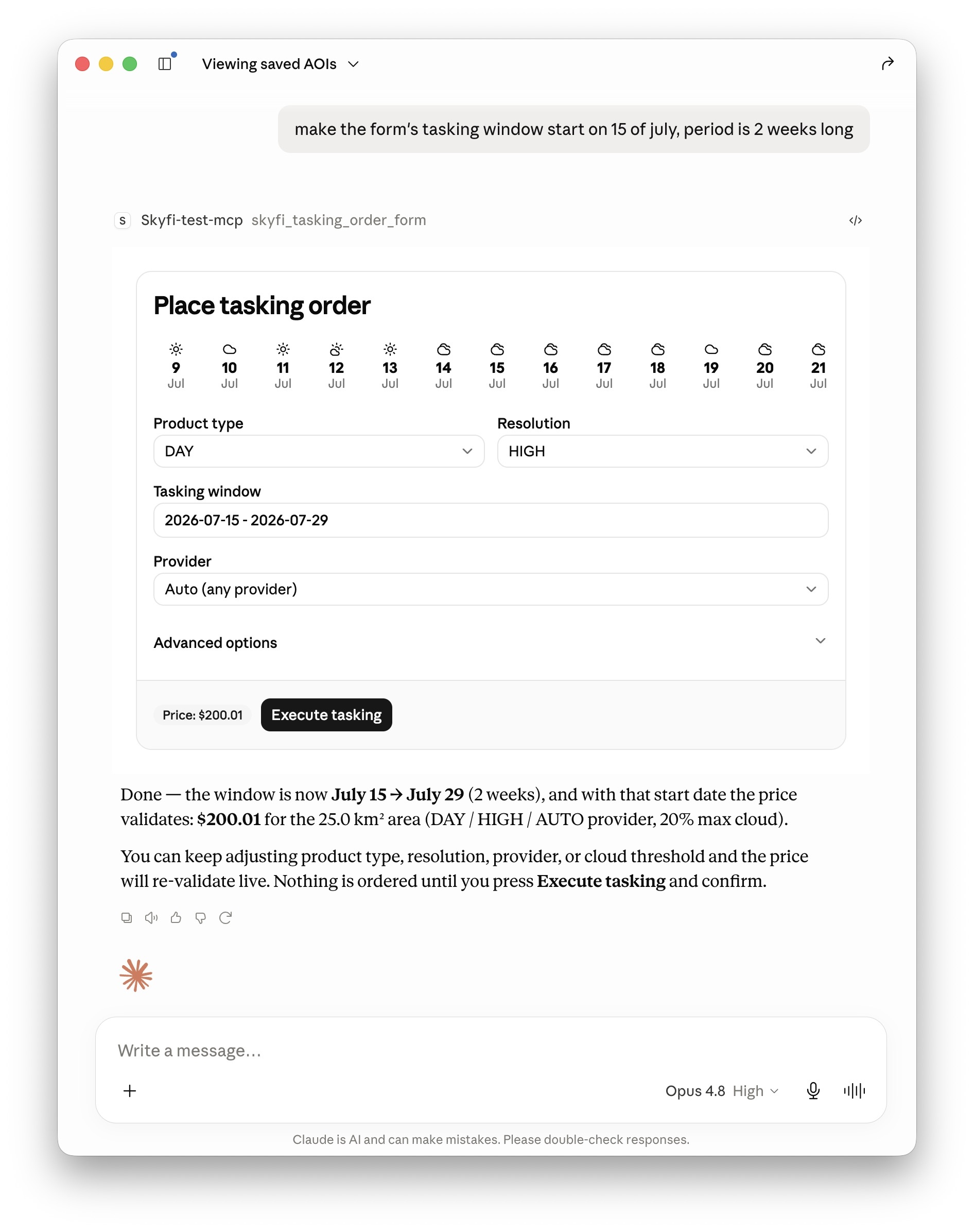
Orders & deliverables
-
skyfi_list_orders,skyfi_list_orders_with_map,skyfi_get_order— track existing orders.show my orders on a map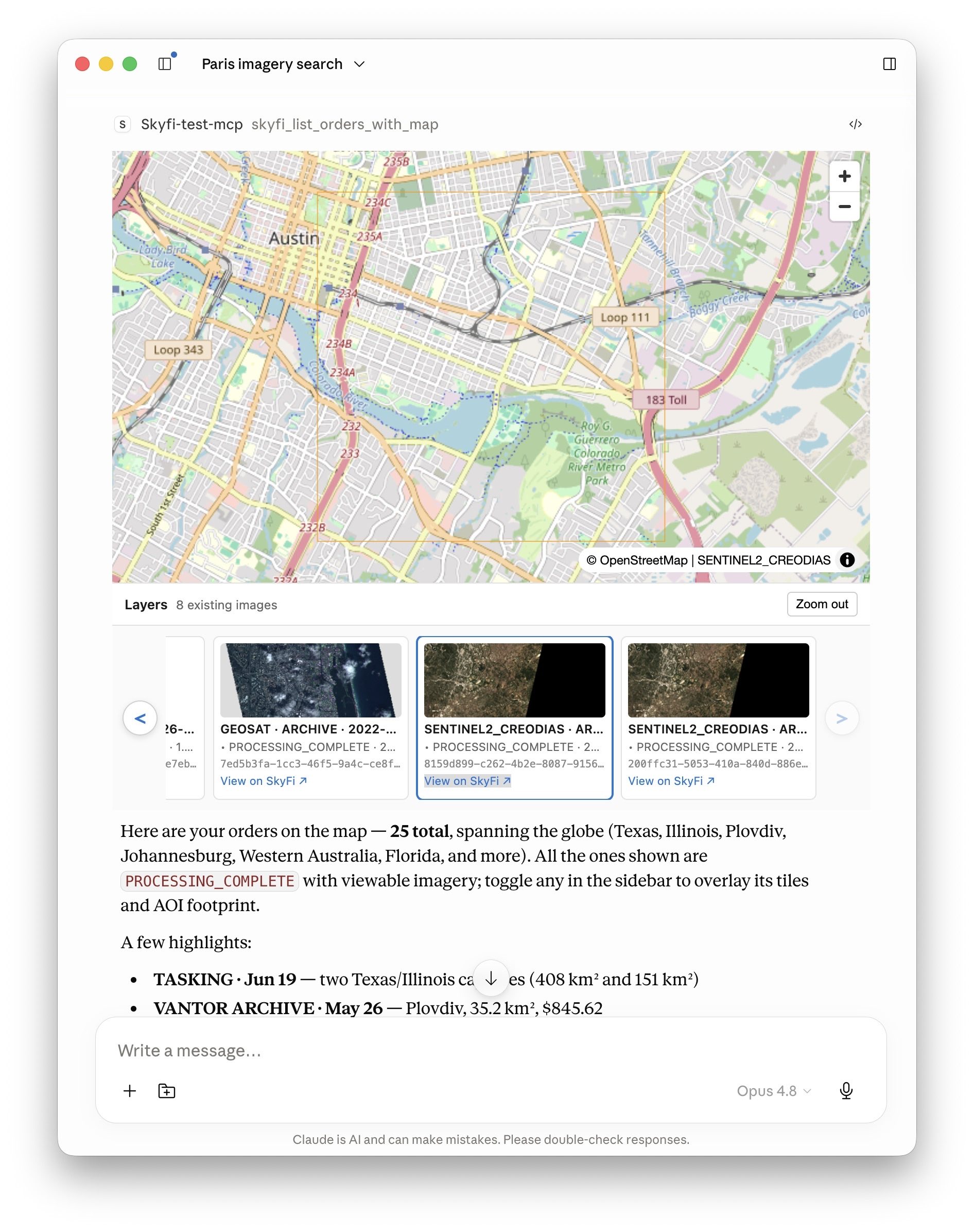
-
skyfi_download_deliverable— pull a deliverable.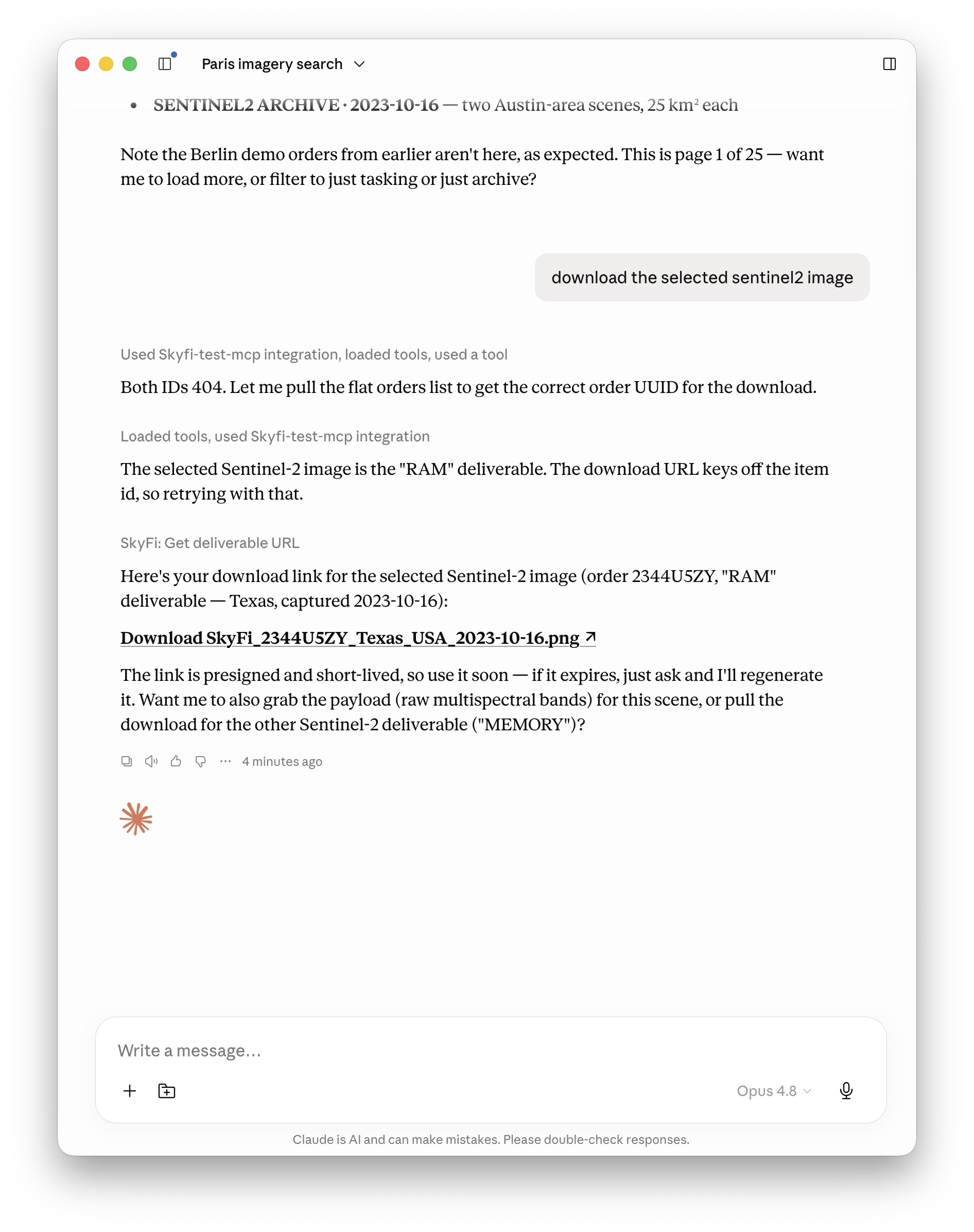
Analytics (billable)
-
skyfi_ndvi_vegetation_health,skyfi_ndwi_standing_water,skyfi_building_detection,skyfi_vessel_detection,skyfi_vehicle_detection— run analytics over an already-delivered image (charged per run). The three detection analytics need high-resolution optical imagery (< 1 m GSD) for reliable results.run a ndwi on top of the selected sentinel2 image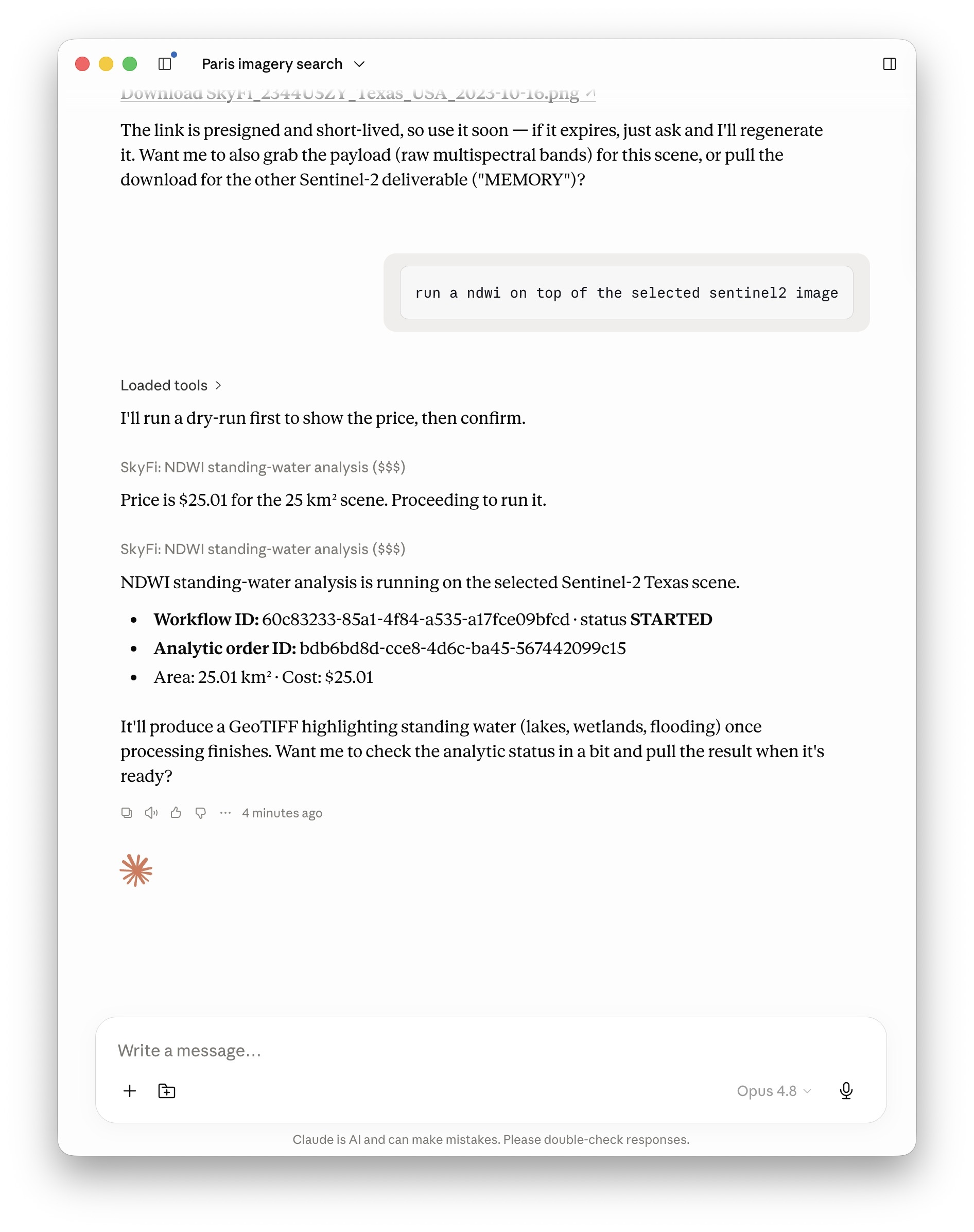
-
skyfi_list_analytics,skyfi_get_analytic_results— review past runs and view a workflow's images and downloads.
Saved AOIs
-
skyfi_list_saved_aois,skyfi_list_saved_aois_with_map,skyfi_create_saved_aoi,skyfi_update_saved_aoi,skyfi_delete_saved_aoi.show me my saved aois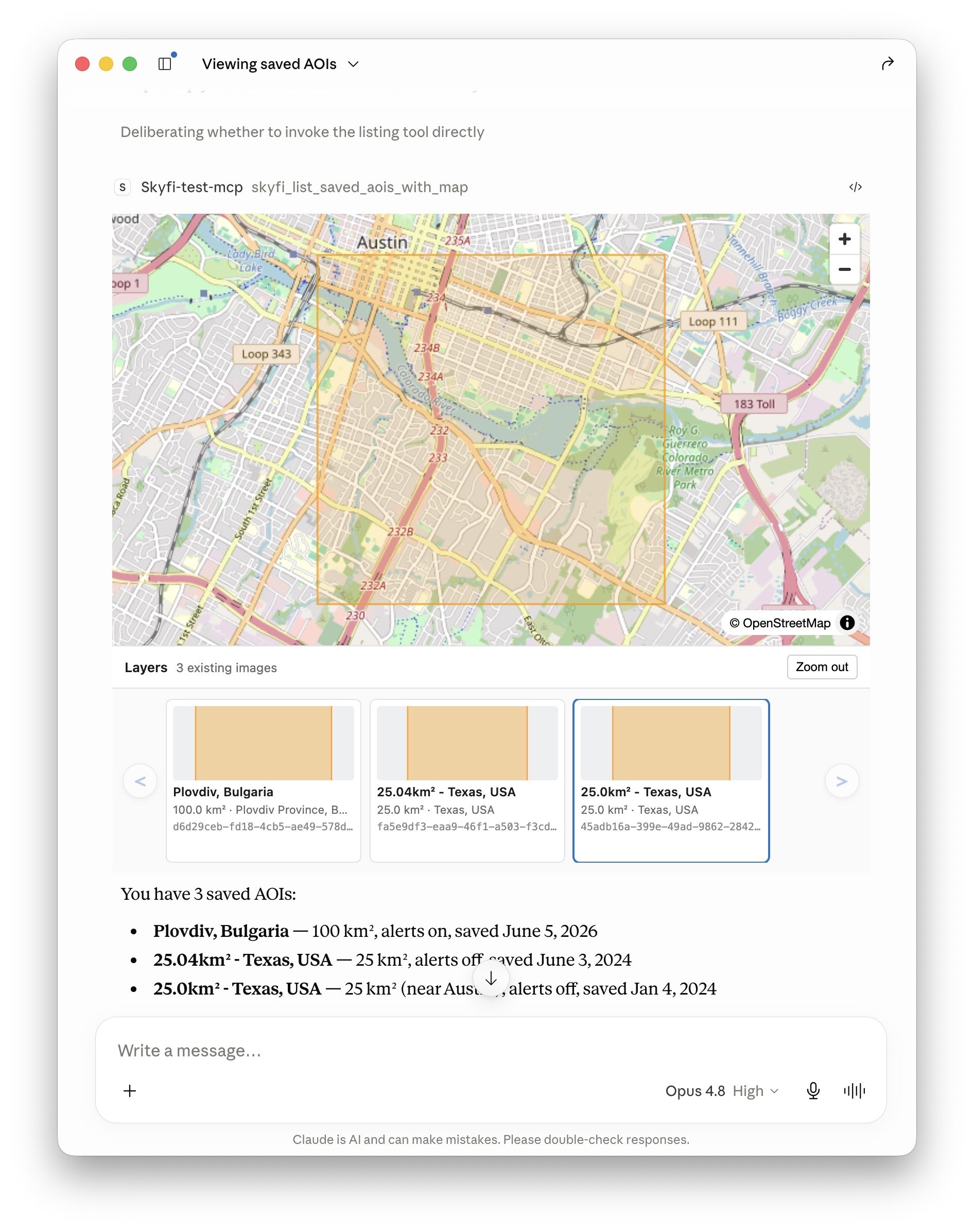
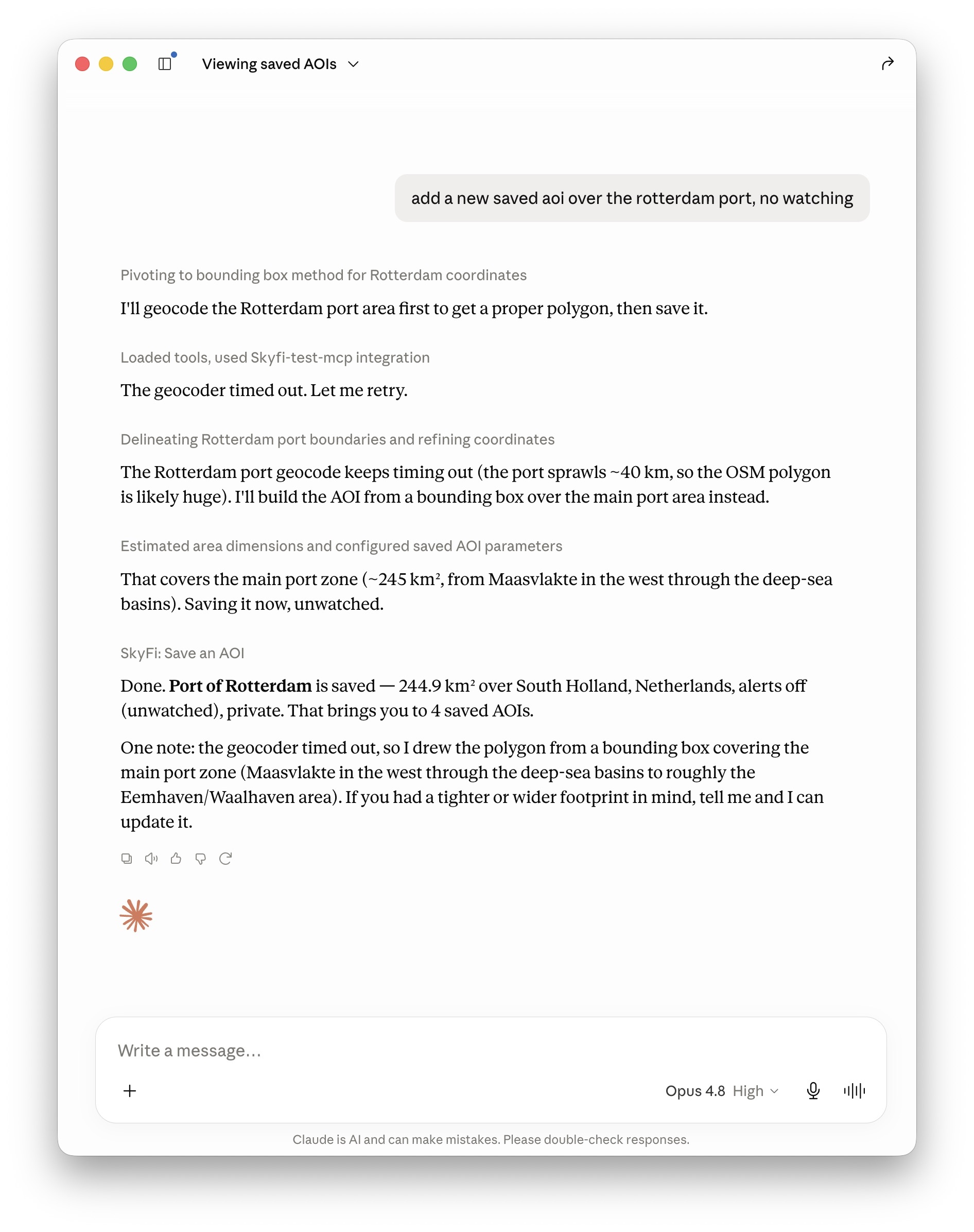
End-to-end automation
The groups above compose: an agent can chain them into a complete workflow from a single prompt. For example:
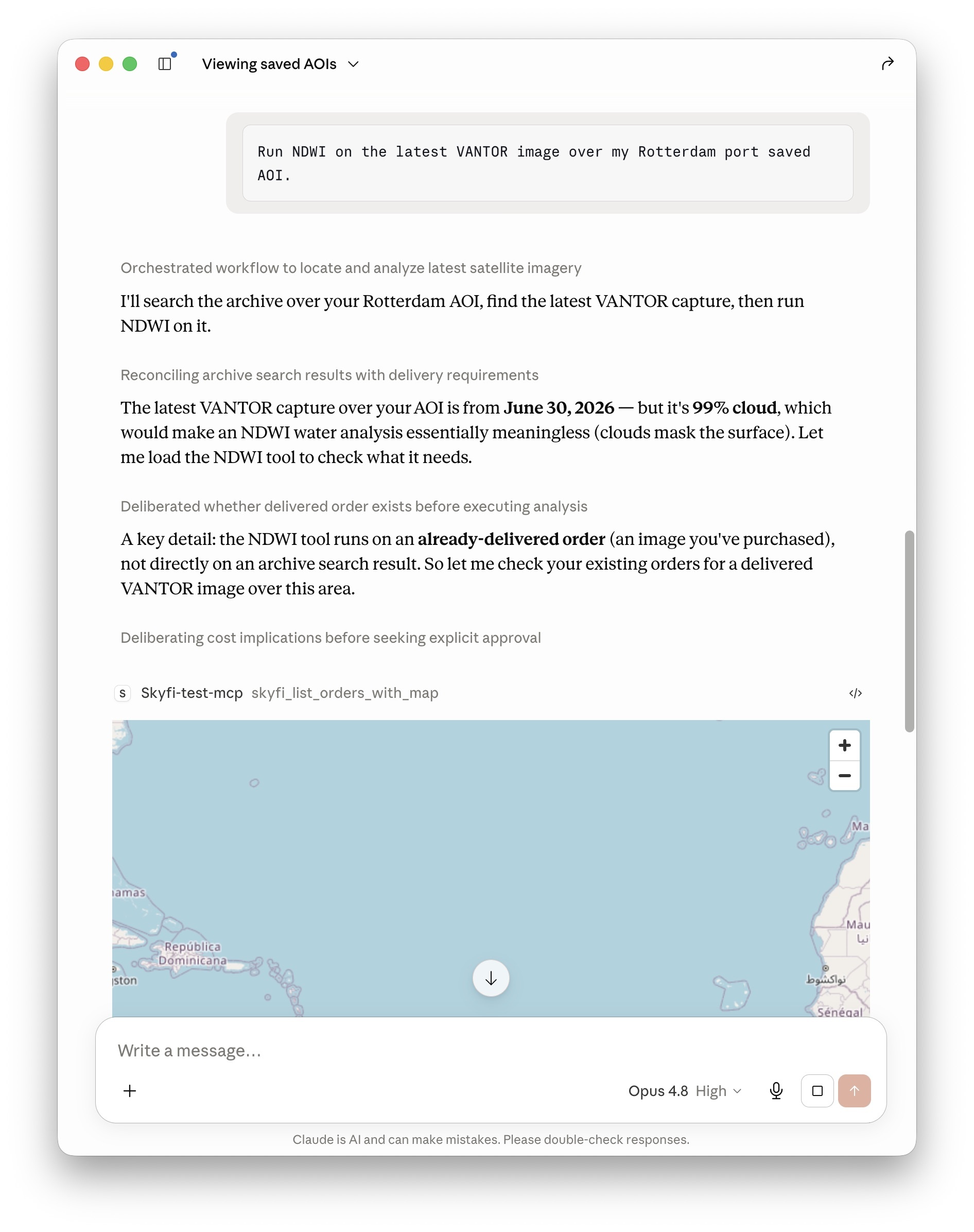
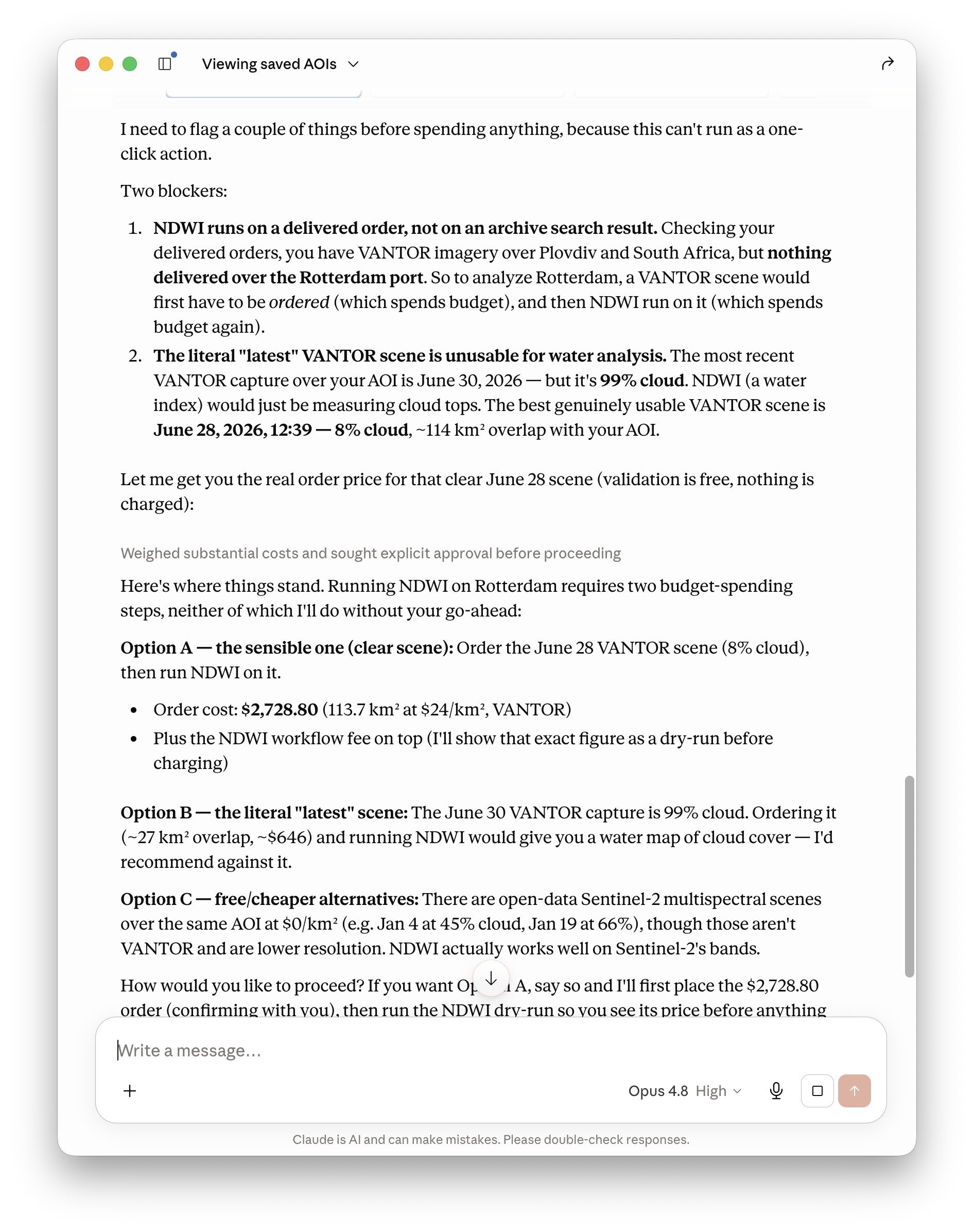
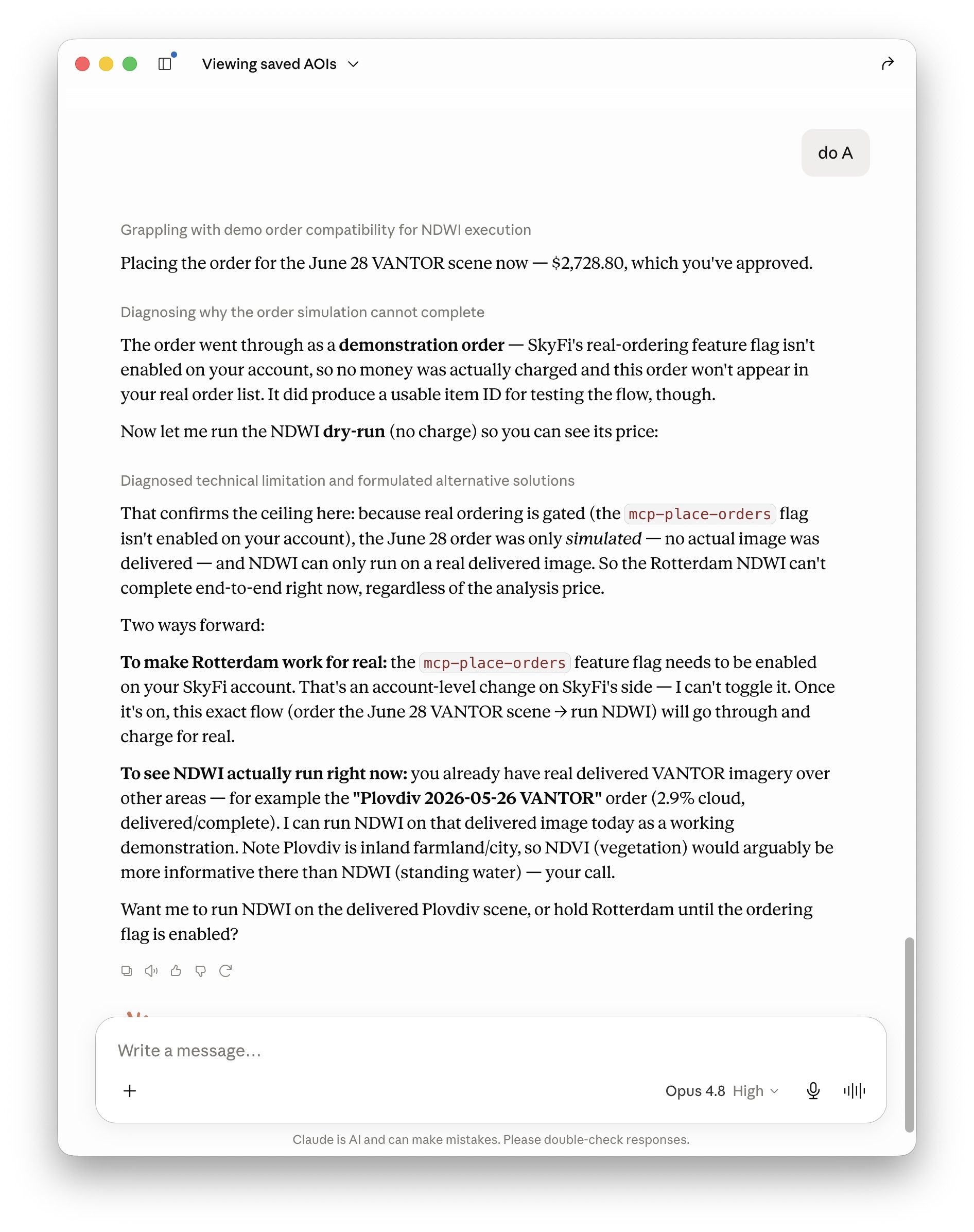
"Run NDWI on the latest VANTOR image over my Rotterdam port saved AOI."
The agent drives the whole pipeline automatically — no manual steps in
between: it lists your saved AOIs (skyfi_list_saved_aois) and finds the one
covering the port of Rotterdam, searches the catalog for the most recent VANTOR
capture over that AOI (skyfi_search_archive), validates the price and
purchases the image (skyfi_validate_archive_order →
skyfi_place_archive_order), then orders an NDWI standing-water analysis on
the delivered image (skyfi_ndwi_standing_water). The only thing left to you
is approving the two charges — image purchase and analytic — when the agent
presents the exact prices.
Billing and the validate-before-charge flow
Several tools charge the customer's real payment method or credits and are
not reversible: skyfi_place_archive_order, skyfi_place_tasking_order,
skyfi_ndvi_vegetation_health, skyfi_ndwi_standing_water,
skyfi_building_detection, skyfi_vessel_detection, and
skyfi_vehicle_detection.
skyfi_tasking_order_form also places a real order when the user clicks Execute.
Before any charge, the workflow is:
- Validate. For existing-image/tasking orders, call
skyfi_validate_archive_order/skyfi_validate_tasking_orderfirst — they return the authoritative price and confirm the order is placeable. The place tools re-validate and refuse to charge if validation fails. Analytics tools return a dry-run price when called withconfirm=False. - Confirm. Show the customer the exact total and get explicit, unambiguous confirmation that they want to be charged that amount.
- Charge. Only then call the tool with
confirm=True.
Recommended workflow
- Call
skyfi_whoamifirst to confirm authentication and remaining budget. - For any place name, call
skyfi_geocode_aoito get a WKT polygon — every other tool expects WKT in EPSG:4326. - Before a tasking order, run
skyfi_tasking_cloud_forecastfor the window and show the daily cloud breakdown; propose a lower-cloud window if one exists. - Validate, confirm, then place.
Support
Questions or issues? Contact [email protected] or visit skyfi.com.